
How to Register for Paripesa Online in Nigeria
🎯 Step-by-step guide to register for Paripesa online in Nigeria 🇳🇬. Learn required documents, fix registration hiccups, and join the gaming platform hassle-free! 🔥
Edited By
Funmi Ogundele
Updating your KYC (Know Your Customer) on Paripesa is a necessary step for any Nigerian user who wants to keep their betting account active and secure. KYC helps Paripesa verify your identity, prevent fraud, and comply with Nigerian regulations. Without current KYC details, you risk account suspension or withdrawal delays, which can be frustrating especially if you are actively betting.
The process to change your KYC on Paripesa may seem daunting at first, but it is quite straightforward once you know the right steps. You’ll need certain documents ready, such as your National Identification Number (NIN) slip, valid government-issued ID (like your International Passport or Driver’s Licence), and sometimes proof of address like a recent utility bill. Having these prepared helps avoid back-and-forth with Paripesa’s support team.
Navigating Paripesa’s online platform to update your KYC can throw some challenges. The interface requires you to follow precise instructions for uploading scanned documents or photos, and it’s important to ensure the documents are clear, valid, and fully visible. Many users trip up on file size limits or submitting incomplete details, which causes delay.
Keeping your KYC updated guarantees smooth access to deposits, withdrawals, and participation in promotions. It also shields you from identity theft and compliance issues with the Nigerian Communications Commission (NCC) and gambling regulations.
This guide will walk you through the exact steps of changing your KYC on the Paripesa website. You’ll learn how to gather your documents correctly, handle common pitfalls, and deal with Paripesa’s customer care if any hiccup arises.
By the end, you will be able to manage your KYC details confidently without losing betting time or cashflow. Whether you are a young professional using Paripesa to spice up weekends or an IT specialist placing calculated bets, this guide is tailored to keep your account in perfect shape.
Knowing what KYC (Know Your Customer) entails and why it matters is vital for any Nigerian using Paripesa, an online betting platform. This process isn't just a box-ticking exercise; it safeguards your account, ensures compliance with Nigerian laws, and helps maintain trust between you and Paripesa.
KYC refers to the verification process used by platforms like Paripesa to confirm the identity of their users. In practical terms, this means submitting documents such as your National Identification Number (NIN) or international passport to prove who you are. This process helps prevent fraud and unauthorised access.
For example, rather than just signing up with an email and phone number, Paripesa requires more detailed verification to make sure your betting account isn't misused by others. It also helps in responsible gaming by ensuring only legitimate adults participate.
The Central Bank of Nigeria (CBN) and other regulatory bodies mandate online platforms to verify customers’ identities. This is to combat money laundering, underage betting, and financing of illegal activities. Without proper KYC, Paripesa could face sanctions, making it difficult for you to continue using their service.
So, when you update your KYC details, you’re helping Paripesa meet Nigerian regulatory rules, ensuring their platform remains legal and secure for everyone.
KYC shields you from identity theft and fraud. When your identity is verified, it becomes harder for scammers to impersonate you or drain your betting wallet. For Paripesa, KYC reduces the risk of fake accounts and protects their business reputation.
Think of it like registering your phone number with your bank; once verified, you’re safer using their services.
If you move houses, get married, or legally change your name, your KYC information should reflect these updates. Suppose you’ve relocated from Lagos to Abuja; updating your proof of address document avoids problems when trying to withdraw your winnings or access promotions.
Ignoring these changes could lead Paripesa to flag your account for discrepancies, causing avoidable delays or restrictions.
Documents like your driver's licence or passport come with expiry dates. If the document you originally submitted to Paripesa expires, you’ll need to update it with a current version. For instance, a passport that expired last year won't satisfy Paripesa's verification, potentially locking you out.
Updating expired documents promptly avoids disruptions, especially if you’re an active user relying on timely withdrawals.
Sometimes, Paripesa may flag your account due to irregularities in your KYC profile—maybe a blurry ID image or mismatched name spelling. Updating your KYC can clear such errors and lift restrictions, letting you continue betting without hiccups.
Also, if you experience limits on deposits or withdrawals, refreshing your KYC details might be the fastest way to solve these issues.
Keeping your KYC details accurate and current is not just about compliance — it’s about safeguarding your access to the services you enjoy on Paripesa.
Understanding these points will make your KYC update on Paripesa smoother and keep your betting experience hassle-free.
Updating your KYC (Know Your Customer) details on Paripesa isn’t just a tick-box exercise. It ensures your account stays active and compliant with regulations from the Central Bank of Nigeria (CBN) and Nigerian authorities. Preparing properly before you begin saves you from the common hang-ups of rejected documents or delayed verification. For example, if your national ID has expired or your proof of address is outdated, Paripesa might suspend your account or restrict withdrawals until you update your details. That said, having the right documents ready, in the correct format, makes the whole process smoother and faster.
Paripesa accepts multiple valid IDs for verification, giving you flexibility. Commonly, the Bank Verification Number (BVN), National Identification Number (NIN), and international passports are the leading options. Each document serves as a government-issued proof of identity but comes with different practical advantages. For instance, your NIN captures your biometric data and links you directly to the nationwide identity system, making it one of the strongest proofs for KYC. On the other hand, an international passport or driver's licence will still be accepted but must be valid and clear.
To confirm where you live, Paripesa requires valid proof of address. This could be a recent utility bill (electricity, water, or refuse collection), a bank statement, or a tenancy agreement dated within the last three months. These documents help prevent fraud and verify your physical location, which is critical in compliance. For example, if you submit an electricity bill from six months ago, Paripesa might reject it for being outdated. Ensuring the document’s date and your name are clearly visible is key.
If your KYC update involves uploading photos or scans, clarity is everything. Paripesa typically requests colour images with all edges of the document visible. Photos should not be blurry, overexposed, or cropped in a way that vital information or signatures are cut off. Using a smartphone with a good camera in natural light, placed on a clean, flat surface, often works best. File sizes usually have limits (commonly under 5MB), so compress images carefully without losing much quality. Accepted file formats include JPEG, PNG, and sometimes PDF.
Many users face frustration when their documents get rejected. The usual culprits are illegible text, expired documents, mismatched names, or submitted wrong file types. For example, submitting a scanned photo of a National ID where the date of birth isn’t clearly visible will likely lead to rejection. Another is submitting a proof of address with an old date or bearing a different name from your Paripesa account.
To avoid wasting time, make sure your photos are stable and well-lit. Avoid shadows or reflections obscuring details. Use scanning apps like Adobe Scan or Microsoft Lens to get a legible, flat image that’s easy to read. Ensure all corners of the document show and that the entire text is in focus. Avoid sending photocopies of photocopies, as the quality deteriorates quickly.
Before submission, compare every document against your Paripesa profile details. Confirm that your name, address, and dates match exactly. A common delay happens when the system sees a discrepancy as a potential fraud risk. Also, check the files' size and format to meet Paripesa’s guidelines. Taking a few extra minutes to review your uploads can prevent days of unnecessary back-and-forth and keep your betting activities uninterrupted.
Keeping your KYC documents organised and updated before submission reduces frustration and speeds up verification. Think of it as clearing your path for a smooth ride on Paripesa’s platform.
Changing your KYC details on Paripesa is a straightforward process, but it demands careful attention. Getting this right means your account stays verified, ensuring uninterrupted access to betting services without unnecessary hiccups. Nigerian users often update their KYC details after renewing expired documents or when personal information, like a phone number or address, changes. Following the steps correctly saves time and avoids verification delays, which can be frustrating especially when you want to place bets during popular sports events or promotions.
Start by logging into your Paripesa account using a secure internet connection. Avoid public Wi-Fi, such as at internet cafés or open hotspots, because they can expose your login data to breaches. Use a device you know is reliable and has up-to-date antivirus software. Enter your username and password carefully, making sure there are no typos.
If you have two-factor authentication (2FA) enabled, complete that process promptly. This extra step is crucial in Nigeria where online fraud attempts are common. Paripesa’s login portal is designed for simplicity, but don’t rush; a failed login multiple times may lock you out temporarily.
Once in your account dashboard, look for settings usually marked as "Profile", "Account Settings", or "Verification". Paripesa groups its KYC management under these sections for easy access. For instance, tapping on your username (often at the top right) generally reveals a drop-down menu directing you to your KYC page.
Navigating correctly ensures you don’t end up updating the wrong section or missing the KYC documents upload altogether. Remember, the interface is user-friendly but can appear slightly different on the mobile app versus desktop site.
Before uploading, ensure you pick the correct documents conforming to Paripesa's requirements: valid Nigerian Identity Number (NIN), driver's licence, international passport or voter’s card. Files should be clear, recent, and legible. Scans or photos of poor quality or outdated papers often lead to rejection.
Practical tip: rename your files with clear labels like "NIN_2024" or "Passport_Expiry2026" on your phone or PC. This small step helps avoid confusion when selecting files in the upload system.
Paripesa’s platform accepts certain file formats, usually JPEG and PDF. Check file sizes too — they should not exceed the platform’s limits, often around 5MB. The upload button typically allows browsing your device or camera roll. Choose the right file and confirm by clicking upload.
Don’t rush to submit immediately after upload. Preview the file on the interface to ensure the full document is visible—no cut-offs or glare. If needed, retake the picture or rescan before final submission.
After submitting your new KYC documents, the system usually shows a confirmation message or reference number. Save this confirmation or screenshot it for your records.
Paripesa often has a dashboard or status page where you can monitor your KYC approval progress. Keeping an eye on this helps you respond quickly if the system requests further documents or rejects the upload.
Typically, Paripesa completes KYC verification within 24 to 72 hours. This timeframe can extend if busy periods arise — for example, around big football leagues or during major Nigerian holidays like Sallah or Christmas.
Patience is key. Submitting accurate documents cuts down verification time. Knowing this helps you plan betting activities accordingly without frustration.
Access your KYC status via the verification section of your account. Paripesa usually marks status as "Pending", "Verified", or "Rejected". Some users receive email notifications too, so keep an eye on your registered inbox.
Checking frequently prevents delays from unnoticed rejections or document requests.
If your KYC update stalls or gets rejected repeatedly despite meeting requirements, reaching out to Paripesa’s customer support is the next step. Use their official chat, email, or hotline for quicker assistance.
Have your account details and the confirmation of submission ready. Clear communication with support officers often resolves bottlenecks faster than repeated document resubmissions without feedback.
Keeping your KYC info up to date on Paripesa safeguards your betting journey and maximises your access to the platform’s services. Handling the update process correctly is the best way to avoid disruptions and stay in the game.
Updating your Know Your Customer (KYC) details on Paripesa can sometimes be met with various setbacks. Knowing the common challenges helps you navigate the process efficiently, avoid unnecessary delays, and maintain uninterrupted access to your betting activities. This section covers typical hurdles Nigerian users face and practical solutions to keep your account in good standing.
One major hiccup during KYC updates is file size or format issues. Paripesa usually requires documents in JPEG or PDF formats and limits file sizes to prevent server overload. Uploading a large photo or unaccepted format often results in instant rejection. For example, a blurry scan of your National Identification Number (NIN) in TIFF format stands no chance. Always check file format and resize images if they're too large. Using apps to compress or convert files before uploading reduces chances of error.
Poor internet connection is a subtle but serious problem during document uploads. If your connection drops midway, the system might fail to save or submit your files, forcing you to start all over. This is common in areas with unstable network service or high data traffic. When updating your KYC, try to find a steady Wi-Fi spot or a place with good 4G coverage. Avoid going through the process when your network is patchy; repeated failures hurt your account’s verification status.
Paripesa’s platform sometimes has quirks on different browsers. Older versions of browsers like Internet Explorer may not support the upload interface smoothly. Users have reported problems like upload buttons not showing or pages freezing. To steer clear, use an updated browser such as Google Chrome, Firefox, or Microsoft Edge. Clearing your browser cache before starting your KYC update can also help prevent glitches.
Paripesa’s verification team can reject your submissions for several reasons. Blurry or dark photos, cropped edges missing vital details, mismatches between uploaded documents and the information on your account, or documents that have expired are typical causes. For instance, submitting a utility bill with a wrong name will invalidate your proof of address. Recognising these common problems upfront will save you multiple resubmissions and frustration.
If the platform rejects your documents, don’t panic. Go back and re-check the requirements carefully. Ensure the entire document is clearly visible, all text is readable, and details exactly match your Paripesa profile. Re-scan documents under better lighting and use a decent camera. Before re-uploading, cross-verify that file size and format meet platform criteria. Being thorough here fast-tracks successful approval.
Consistency is key to avoiding delays down the road. Set reminders to update your documents before expiry dates. Always keep soft copies of current IDs handy on your device. Avoid quick fixes like editing images to mask flaws; this can lead to permanent bans. Instead, use only official versions of identification and address proofs. Proper preparation reduces verification cycles and keeps your Paripesa account active seamlessly.
While Paripesa verifies your new KYC data, some functionalities on your account may be restricted. This precaution guards against fraud and protects user funds. You might experience temporary limits on deposits, withdrawals, or certain betting features. The good news is these restrictions are usually short-lived – often cleared within 48 hours after successful verification. Plan your betting activities accordingly.
Changing sensitive details requires you to be extra cautious. Use a secure device and avoid public Wi-Fi when submitting verification documents. Don’t share your Paripesa login information under any circumstance. Enable two-factor authentication if available to harden account security. Nigerians have faced cases of account hijacking when security lapses occur during KYC updates.
In rare cases, verification failures or suspicious activities may trigger a temporary account block. If this happens, contact Paripesa’s support immediately via their official chat or email channels. Provide requested information promptly and avoid multiple simultaneous requests that could slow the process. While waiting, keep your login credentials secure and refrain from creating duplicate accounts, which can violate terms and complicate reinstatement.
Staying ahead of these common challenges ensures your KYC update on Paripesa goes smoothly and protects your access to all betting features. A bit of preparation and attention to detail can save you time and frustration in the long run.
Keeping your KYC details up-to-date on Paripesa is not just a one-time task but an ongoing responsibility. Regular updates ensure uninterrupted access to your account, smoother transactions, and eligibility for all platform features. Meanwhile, securing your account and knowing how to use new features post-verification can elevate your betting experience.
Setting reminders for document renewals helps prevent last-minute rushes. For instance, your National Identification Number (NIN) or passport may have expiry dates—you can use your phone calendar or a dedicated note app to flag renewal dates well ahead. This way, you avoid disruptions when your documents become invalid during a bet or withdrawal.
Updating details promptly after changes is essential, especially if you change your address or phone number. Paripesa relies on accurate information to verify your identity and process withdrawals securely. If your contact details become outdated, you might miss important alerts or face verification delays. Updating these on the platform soon after a change keeps your account clean and transactions smooth.
Using strong passwords and two-factor authentication (2FA) adds layers of protection to your betting account. A strong password should mix letters, numbers, and special characters, making it hard to guess. Paripesa offers 2FA options, such as OTPs sent to your phone, which means that even if someone guesses your password, they cannot access your account without the second verification step.
Avoiding phishing and scam attempts is critical, as fraudsters target online bettors with fake messages or links. Always check that you’re on Paripesa’s official website before entering details. Avoid clicking on unexpected emails or messages claiming you need to update your KYC with urgent deadlines. Instead, access your account directly via official apps or bookmarks.
Staying cautious with your personal data means you’ll keep your winnings safe and prevent unauthorized access.
Accessing higher betting limits is one direct benefit of verified KYC status. Without proper verification, Paripesa restricts your betting and withdrawal limits. After a successful update, you can bet bigger amounts and request higher withdrawal sums, which can be crucial if you’re a serious bettor.
Participating in promotions and bonuses becomes easier when your KYC is current. Paripesa often runs special offers that require full verification to join. Missing updates might mean you lose out on welcome bonuses, cashback deals, or special event promotions.
Using Paripesa’s cashout and withdrawal services smoothly depends largely on up-to-date KYC. When your verification is complete, withdrawals process faster with fewer hitches. This helps avoid frustrating delays, particularly when you want to quickly access your winnings.
Keeping KYC details up to date, following good security habits, and taking advantage of Paripesa’s features all work together to give you a better, safer betting experience tailored to Nigerian users’ realities.
🎯 Step-by-step guide to register for Paripesa online in Nigeria 🇳🇬. Learn required documents, fix registration hiccups, and join the gaming platform hassle-free! 🔥
🤑 Learn how to create, log in, and manage your Paripesa account effortlessly in Nigeria. Get tips on securing info, fixing login issues, and exploring betting options today!
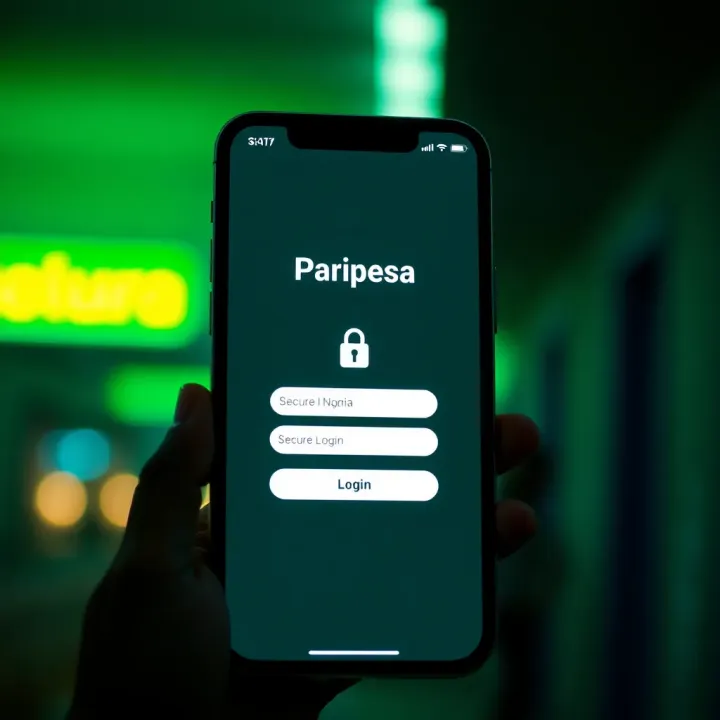
Download the Paripesa Nigeria app latest version 📲 safely for smooth sports betting ⚽. Get tips, system needs, updates, and security features for an easy start today!
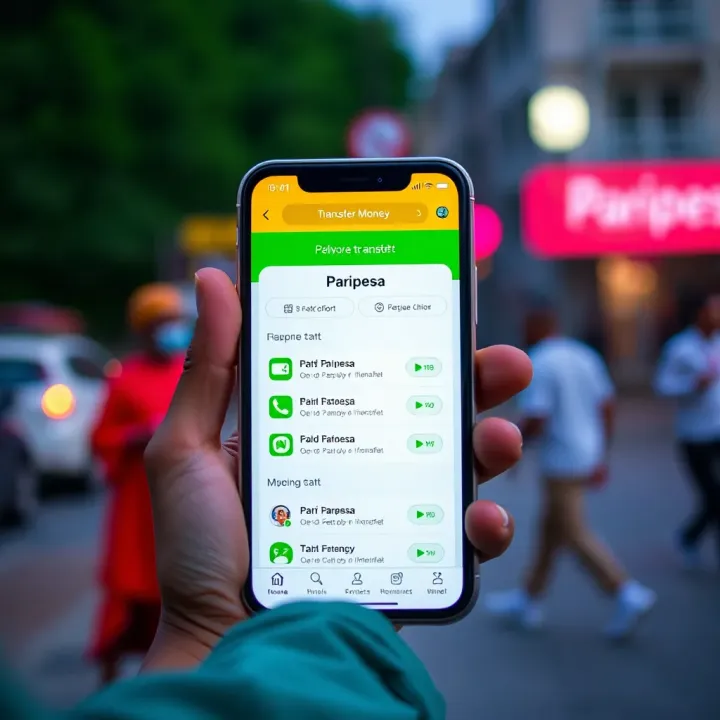
Learn how to send money easily between Paripesa accounts in Nigeria 🇳🇬. Follow simple steps, avoid fees, stay secure, and fix common issues fast 💰🔒
Based on 13 reviews